Real Cars in City
Real Cars in City
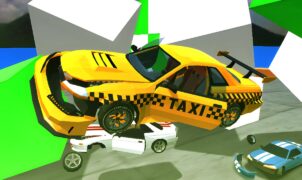
Real Cars in City is the ultimate urban driving simulator that lets you cruise through a bustling metropolis behind the wheel of high-performance vehicles. In this city driving game, players experience realistic traffic, responsive controls, and stunning 3D graphics—all from the comfort of your desktop or laptop. Whether you’re a casual gamer or a gearhead looking for top-notch simulation, Real Cars in City offers an immersive experience that’s easy to pick up but challenging to master.

Table of Contents
- Getting Started
- Keyboard Controls Overview
- Detailed Key Bindings
- Game Modes and Objectives
- Top Tips for City Driving
- Troubleshooting Common Issues
- Why Real Cars in City Stands Out
- Additional Resources & Links
- Conclusion
Getting Started
First things first: launch Real Cars in City from the official website or your favorite games portal. If you haven’t downloaded it yet, head over to the game’s homepage to install the latest version. Once installed, configure your graphics settings in the Options menu—set your resolution to match your monitor, enable anti-aliasing for smoother visuals, and adjust the draw distance for a seamless cityscape.
Pro Tip: Many players recommend setting “Quality” to High on computers with discrete graphics cards to capture every reflection and detail in the city streets.
Keyboard Controls Overview
Mastering the keyboard controls is crucial for navigating tight corners, overtaking traffic, and completing missions. Below is a quick overview of the default key bindings in Real Cars in City:
| Action | Key(s) |
|---|---|
| Accelerate | W or ↑ |
| Brake / Reverse | S or ↓ |
| Steer Left | A or ← |
| Steer Right | D or → |
| Handbrake | Space |
| Change Camera View | C |
| Toggle HUD | H |
| Reset Car Position | R |
| Horn | E |
| Look Behind | L |
These controls are fully customizable—if you prefer arrow keys over WASD for steering, simply navigate to Options > Controls, click the action you want to rebind, and press your preferred key.
Detailed Key Bindings
Movement and Speed
- W / ↑ (Accelerate): Push to floor and feel the roar of your engine as you jet down avenues.
- S / ↓ (Brake / Reverse): Gently braking helps you handle tight turns; holding it longer engages reverse gear.
Steering
- A / ← (Steer Left): Counter-steer early on high-speed corners to maintain grip.
- D / → (Steer Right): Apply gradual input to avoid oversteer.
Advanced Maneuvers
- Spacebar (Handbrake): Lock up the rear wheels for a controlled drift—perfect for those hairpin turns.
- E (Horn): Use sparingly to clear AI vehicles in story missions.
Camera and HUD
- C (Change Camera View): Cycle through cockpit, bumper, and chase views to find your ideal perspective.
- H (Toggle HUD): Hide the HUD for screenshot mode or full immersion.
Recovery and Miscellaneous
- R (Reset Car Position): Stuck in a wall? Press R to teleport back onto the road.
- L (Look Behind): Keeps you aware of pursuers in police chase scenarios.

Game Modes and Objectives
Real Cars in City offers multiple modes to suit every playstyle:
- Free Roam: Just you, your car, and the open road. Explore landmarks like the downtown skyline or the industrial district at your own pace.
- Time Trial: Race against the clock on preset routes. Achieve gold, silver, or bronze medals to unlock new vehicles.
- Delivery Missions: Pick up packages around town and deliver them within the time limit. Traffic jams and police patrols add to the challenge.
- Police Chase: Steal a car and evade the law! Use your driving prowess and knowledge of shortcuts to shake off pursuing squads.
Each mode has leaderboards, so you can compare times with friends or other drivers across the US. Don’t forget to check the leaderboard page frequently for top scores and local events.
Top Tips for City Driving
- Plan Your Route: Use the mini-map to identify the fastest paths and avoid congestion.
- Smooth Steering: Avoid jerky inputs—smooth adjustments keep your tires glued to the asphalt.
- Brake Early: High speeds require longer stopping distances, especially in rain or tight corners.
- Learn Traffic Patterns: AI drivers follow predictable routes. Memorize key intersections to gain the upper hand.
- Customize Your Ride: Invest in engine, transmission, and tire upgrades. Each component dramatically affects handling and speed.
For more advanced techniques, check out our Advanced Driving Tips guide.
Troubleshooting Common Issues
- Game Won’t Launch: Ensure your graphics drivers are up-to-date. For NVIDIA cards, download the latest drivers from NVIDIA’s official site.
- Stuttering or Low FPS: Lower the resolution or disable shadows temporarily in Options > Graphics.
- Control Lag: Switch to a wired keyboard or adjust input polling rate in your operating system settings.
- Crashes on Save: Run the game as an administrator and disable any third-party overlays (Discord, GeForce Experience).
If problems persist, visit the Support Center to submit a ticket.
Why Real Cars in City Stands Out
What makes Real Cars in City a crowd favorite in 2025?
- Realistic Physics Engine: Car behavior mirrors that of real-world vehicles, from drift to suspension bounce.
- Dynamic Weather System: Sudden rainstorms and fog alter visibility and road traction in real time.
- Customizable Traffic Density: Tailor AI traffic levels for a relaxed cruise or high-stakes rush hour.
According to a recent review on IGN, this city driving simulator “sets a new standard for browser-based racing games” (read more).
Additional Resources & Links
- Car and Driver: For real-world car specs to compare with in-game models (Car and Driver Reviews).
- YouTube Tutorials: Check out “Real Cars in City – Pro Drifting Guide” on YouTube for visual walkthroughs.
- Community Forum: Join other players on the official Discord server for tips, car mods, and events.
Conclusion
Ready to hit the streets? Whether you’re drifting through downtown or racing against the clock, Real Cars in City delivers an authentic city driving experience. Remember to practice smooth steering, plan your routes, and customize your vehicle for peak performance. With multiple modes and a thriving community, this city driving simulator guarantees endless hours of high-octane fun.
Start your engine and take on the urban jungle today—Real Cars in City is waiting!